What it does
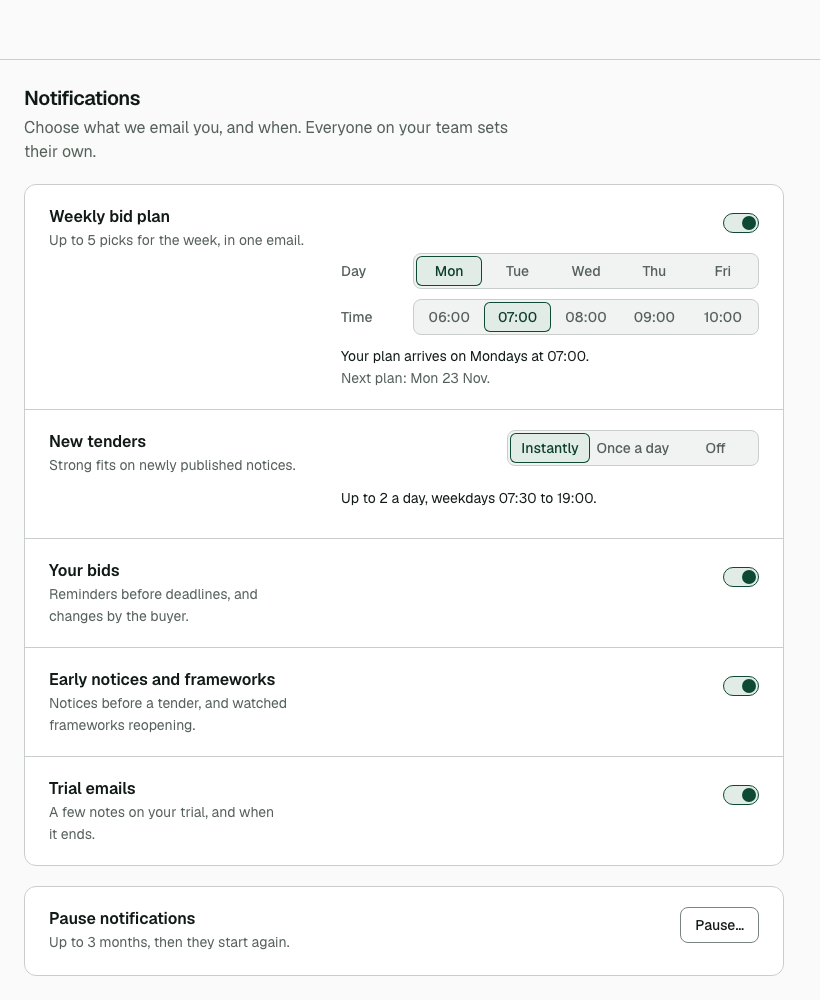
On Notifications, each person sets:
-
The weekly bid plan: on or off, Monday to Friday, at any hour from 6:00 to 10:00. A change starts next week, so you never get two plans in one week.
-
New tenders (your tender alerts): at once (two a day at most), once a day at an hour from 12:00 to 18:00, or off.
-
Your bids (reminders and change alerts), and early notices and frameworks: each on or off.
-
A pause until a date up to 3 months ahead. It ends by itself. Sign-in, billing and account emails still come.
Every email has "Change what we send and when". The link works without signing in to turn things off or move the day; to turn emails back on, you sign in.
An example
Example firm. At Example Consulting, the director keeps her plan on Monday at 7:00. The bid writer works Tuesday to Thursday, so she moves hers to Tuesday at 9:00 and takes new tenders once a day at 17:00. A partner going on leave pauses everything until the day he's back.